BGA Reballing
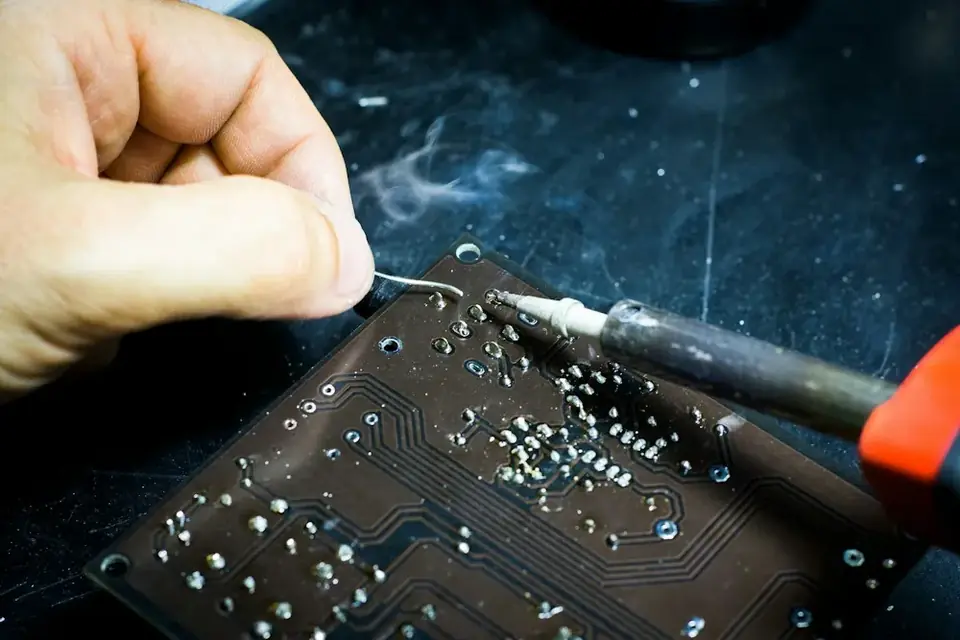
The solder joints under large chips can crack over time. In reballing, the chip is removed, prepared with new solder balls and soldered back onto the board.
- Graphics cards · laptop and desktop motherboards
Service
About this service
Large chips such as the graphics chip, chipset and processor are attached to the board by hundreds of tiny solder balls underneath (BGA). Heating and cooling cycles can crack these joints over time. The result: loss of picture, random shutdowns or a device that won't start at all.
In reballing, the chip is removed from the board, the old solder is cleaned off, new solder balls are placed on the chip and it is soldered back onto the board. This is a more thorough solution than reflow, which only heats the faulty joint and often fixes it temporarily.
Reballing is not the answer to every fault. During the diagnosis we determine whether the problem really comes from the solder joint or from the chip itself, and tell you clearly whether the procedure is suitable.
When should you contact us?
- No picture or artefacts on screen; pressing on the device makes it work
- Device shuts down or loses the picture as it warms up
- Graphics card or chip is detected only intermittently
- A reflow was done before and the problem came back after a while
What we do
How it works
-
01
Tell us about the problem
Describe your device and the issue through the service request form, by phone, WhatsApp or Viber. A photo or a short video speeds up the first assessment.
-
02
We examine the device
You bring the device to our workshop in Tivat, or send it by courier. We find the cause based on measurements, tests and, when needed, opening the device — not on guesswork.
-
03
We explain your options
We tell you clearly what is faulty, which solutions are possible, the price and the time needed. Whether to go ahead is entirely your decision.
-
04
We repair and test
After your approval we carry out the repair and test the device before handing it back. We explain what we did when you collect it.
Good to know
- If the chip itself is faulty, reballing won't solve the problem; the chip needs to be replaced.
- Reflow is usually a temporary fix and the problem often returns.
- We tell you clearly after the diagnosis whether the procedure is suitable and what it costs.
Frequently asked questions
What is the difference between reflow and reballing?
Reflow only heats and melts the existing solder and is usually temporary. In reballing the chip is removed and re-soldered with completely new solder balls.
Does reballing always work?
No. It is effective when the problem is in the solder joint; if the chip itself is faulty, it must be replaced. We determine this during the diagnosis.
Which boards do you do it on?
Graphics cards and BGA chips on laptop and desktop motherboards.
Will my data be affected?
The work is done on the board; if the storage is a separate part, your data is not touched.
Related services
Microsoldering
Soldering and repair of connectors, ports, pads and tiny components under the microscope.
DetailsGraphics Card Repair
Diagnostics and component-level repair of desktop and laptop graphics cards.
Details AppleLogic Board & Chipset Repair
Component-level repair of logic board and chipset faults on devices that won't power on, won't charge or have liquid damage.
Details