Logic Board & Chipset Repair
On devices that won't power on, won't charge or have liquid damage, we find and repair the faulty component instead of replacing the whole logic board.
- MacBook · iMac · Windows laptops · desktop motherboards
- Genuine Apple parts
Service
About this service
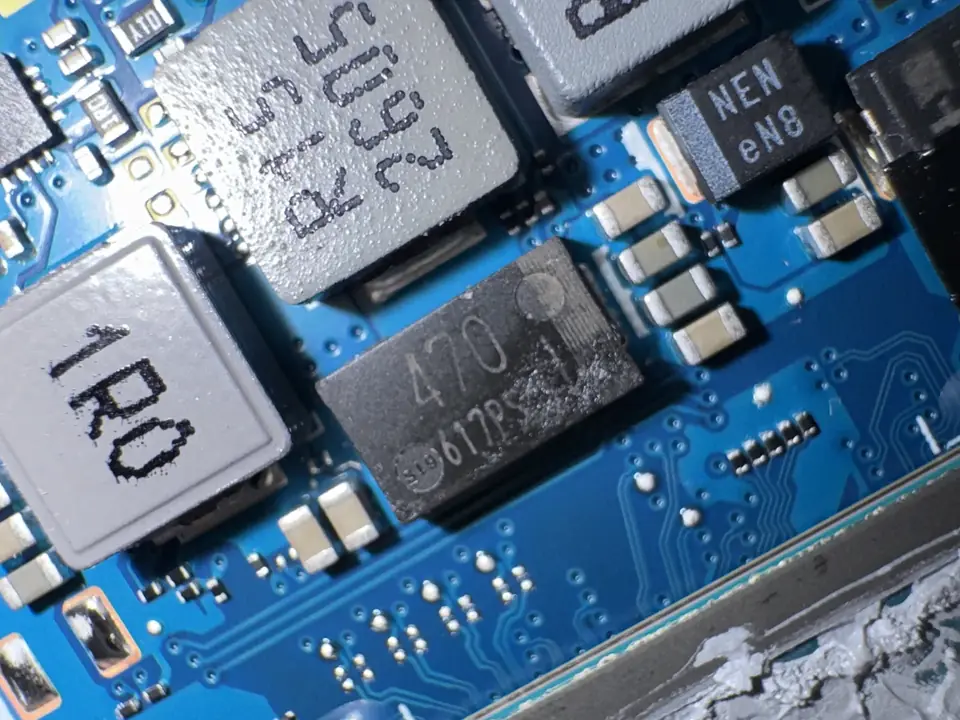
At many repair shops the only answer to a logic board fault is replacing the whole board. That is expensive and often unnecessary: the fault usually comes from a single capacitor, a power IC or a small shorted component on the board.
In our workshop we use board schematics and measuring equipment to find the source of the fault and replace the faulty component under the microscope with microsoldering. On boards with liquid damage we clean the corrosion and repair damaged traces.
Not every board can be repaired. After the diagnosis we tell you clearly whether a repair is possible and what it costs; if it isn't, we say so honestly.
When should you contact us?
- Device won't turn on at all and doesn't react when plugged in
- Water, coffee or another liquid was spilled on it
- Not charging, even with a different adapter and cable
- It turns on but there is no picture
- Device switches off right after starting or the board overheats
- Functions such as USB, sound or charging stop working entirely
- Another shop said "the logic board must be replaced"
What we do
How it works
-
01
Tell us about the problem
Describe your device and the issue through the service request form, by phone, WhatsApp or Viber. A photo or a short video speeds up the first assessment.
-
02
We examine the device
You bring the device to our workshop in Tivat, or send it by courier. We find the cause based on measurements, tests and, when needed, opening the device — not on guesswork.
-
03
We explain your options
We tell you clearly what is faulty, which solutions are possible, the price and the time needed. Whether to go ahead is entirely your decision.
-
04
We repair and test
After your approval we carry out the repair and test the device before handing it back. We explain what we did when you collect it.
Good to know
- After liquid damage, don't try to turn on or charge the device; corrosion spreads over time and early action improves the chance of recovery.
- Board repair is usually more economical than board replacement and gives a better chance of keeping your data.
- If a repair is not possible, we tell you clearly after the diagnosis.
Frequently asked questions
Is repair possible without replacing the logic board?
In most cases, yes. The fault is usually in a single component; finding and replacing it is more economical than replacing the whole board.
Can a device with liquid damage be saved?
The chances are good with early action. Turn the device off, don't plug it in and bring it as soon as possible.
Can my data be saved?
If the repair succeeds, your data usually stays where it is. On models with storage soldered to the board, repairing the board is often the only way to reach the data.
Which devices do you work on?
MacBooks, iMacs, Windows laptops and desktop motherboards.
Another shop said the board must be replaced — will you still look at it?
Yes. We examine it at board level and tell you clearly whether a repair is possible.
Related services
Microsoldering
Soldering and repair of connectors, ports, pads and tiny components under the microscope.
DetailsLiquid Damage Repair
Corrosion cleaning and repair of devices exposed to water, coffee or other liquids.
DetailsBGA Reballing
Removing BGA chips and re-soldering them with new solder balls.
Details