Desktop Computer Repair
Desktop won't turn on, shuts down by itself, shows a blue screen or has slowed down? We test the components one by one to find the source of the fault.
- Office and home computers · workstations
Service
About this service
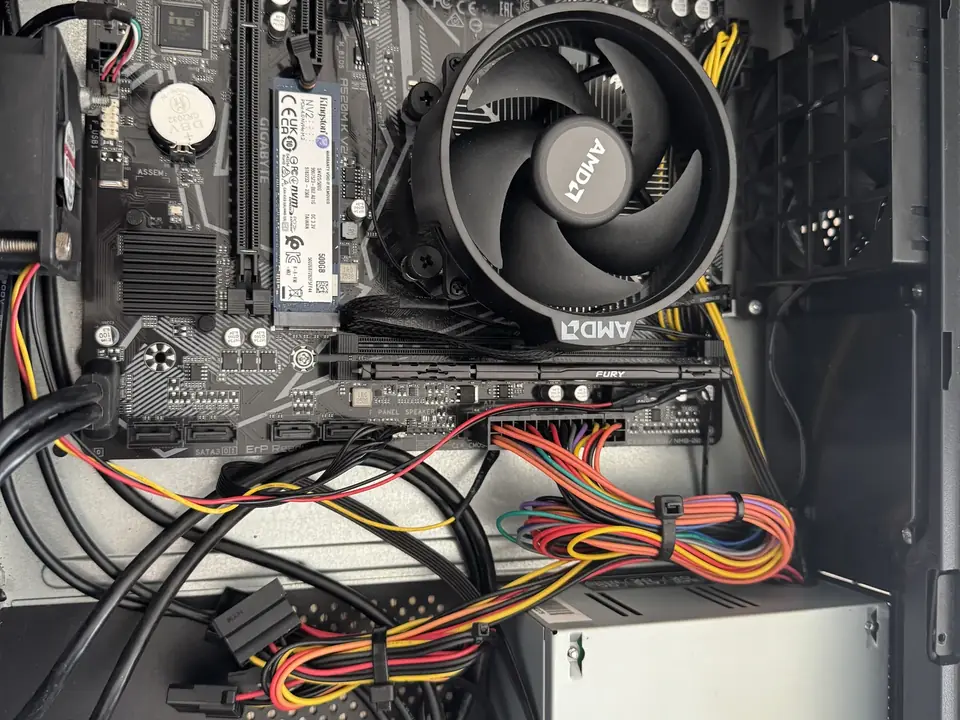
In desktop computers a fault usually comes from a single part: the power supply, RAM, storage, graphics card or motherboard. The right diagnosis prevents unnecessary part replacements. In our workshop we test each component separately to pin down the cause.
Besides replacing the faulty part, we also do dust cleaning, cooling improvements, SSD and RAM upgrades, system installation and data transfer. We work on everything from office computers to workstations.
When should you contact us?
- Computer won't turn on or switches off right away
- Blue screen (BSOD) or frequent freezing
- No picture on the monitor, no signal
- Computer starts and runs very slowly
- Fans are very loud and the case gets hot
- Beep codes or motherboard warning lights
What we do
How it works
-
01
Tell us about the problem
Describe your device and the issue through the service request form, by phone, WhatsApp or Viber. A photo or a short video speeds up the first assessment.
-
02
We examine the device
You bring the device to our workshop in Tivat, or send it by courier. We find the cause based on measurements, tests and, when needed, opening the device — not on guesswork.
-
03
We explain your options
We tell you clearly what is faulty, which solutions are possible, the price and the time needed. Whether to go ahead is entirely your decision.
-
04
We repair and test
After your approval we carry out the repair and test the device before handing it back. We explain what we did when you collect it.
Good to know
- Before any upgrade we check motherboard, power supply and case compatibility to avoid unnecessary spending.
- For work that requires a system installation, we first discuss options for backing up your data.
- Bringing the tower is usually enough; the monitor and keyboard are generally not needed.
Frequently asked questions
Is it enough to bring just the tower?
Yes, in most cases. If you have a display problem, it helps to bring the monitor cable too.
Can my old computer be upgraded?
On most systems an SSD and RAM upgrade makes a big difference. We check compatibility first and recommend the upgrades that make sense.
What causes a blue screen?
It can be RAM, storage, drivers or overheating, among other things. We find the cause with tests.
Can you help me choose parts?
Yes. We help you choose compatible parts for your needs and budget and install them.
Related services
Gaming & Custom PC Builds
Gaming, streaming and rendering PCs built to your needs; repair, upgrades and cooling for existing systems.
DetailsGraphics Card Repair
Diagnostics and component-level repair of desktop and laptop graphics cards.
DetailsComputer Maintenance & Upgrades
Internal cleaning, new thermal paste, SSD and RAM upgrades for computers that have slowed down or run hot.
Details