Computer Maintenance & Upgrades
Has your computer slowed down, does it run hot or is the fan very loud? With internal cleaning, new thermal paste and SSD/RAM upgrades we get it running fast and quiet again.
- Laptops and desktop computers
Service
About this service
Most computers slow down not because of a fault but from lack of maintenance. Dust in the fans, dried-out thermal paste and an ageing drive lead to heat, fan noise and a clear drop in performance.
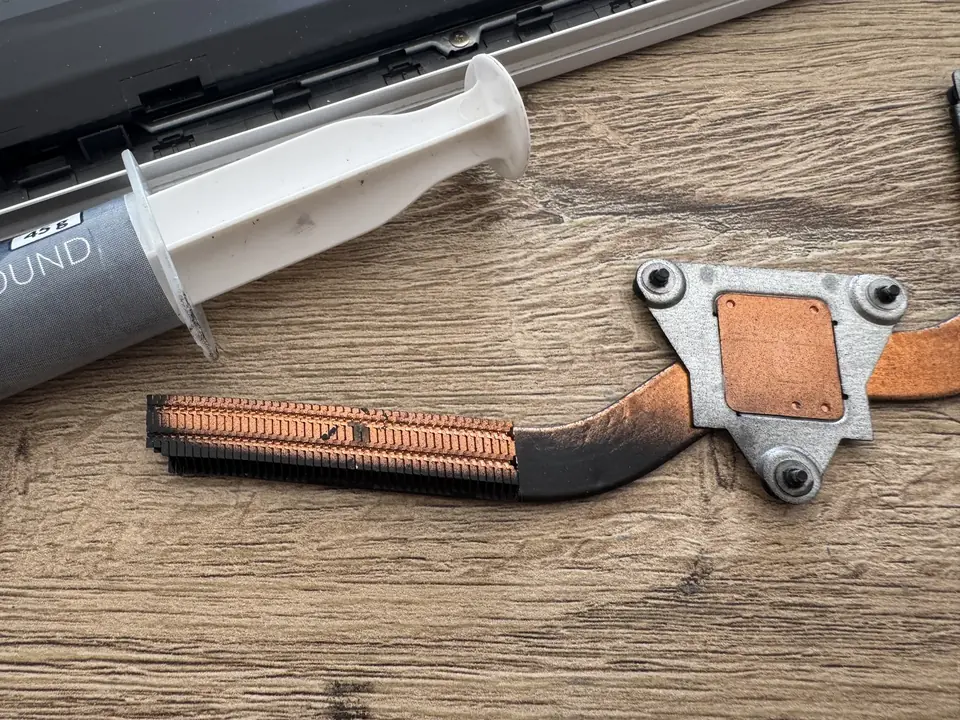
During the service we open the device, clean it inside, renew the thermal paste and measure temperatures. On the performance side, replacing an old drive with an SSD and adding RAM makes a big difference on most computers, without the need to buy a new one. We look at your device and tell you which upgrade will really help.
When should you contact us?
- Computer is very slow to start and run programs
- Fan runs constantly and loudly
- Device gets very hot or shuts down on its own
- It lags when several programs are open
- Warnings about a full or unhealthy drive
- It has been a long time since the last service
What we do
How it works
-
01
Tell us about the problem
Describe your device and the issue through the service request form, by phone, WhatsApp or Viber. A photo or a short video speeds up the first assessment.
-
02
We examine the device
You bring the device to our workshop in Tivat, or send it by courier. We find the cause based on measurements, tests and, when needed, opening the device — not on guesswork.
-
03
We explain your options
We tell you clearly what is faulty, which solutions are possible, the price and the time needed. Whether to go ahead is entirely your decision.
-
04
We repair and test
After your approval we carry out the repair and test the device before handing it back. We explain what we did when you collect it.
Good to know
- Not every device can be upgraded; on some laptops RAM and storage are soldered to the board. We check this in advance.
- When moving to an SSD we can transfer your system without reinstalling; if needed, we also recommend a clean installation.
- We have a separate page for MacBook and iMac servicing.
Frequently asked questions
Does an SSD really make a difference?
On computers with a mechanical drive, an SSD usually makes the biggest difference to start-up and program loading times.
How much RAM do I need?
It depends on how you use it. Tell us what you use the computer for and we will recommend the sensible option among those your device supports.
Will my data be deleted during the service?
We don't touch the storage during cleaning and paste renewal. When replacing the drive, we move your data to the new one.
How often should it be serviced?
It depends on the environment. If heat and fan noise are increasing, it may be time for a service.
Related services
Laptop Repair
Laptop diagnostics and repair: screens, batteries, keyboards, charging ports, hinges and cases.
DetailsDesktop Computer Repair
Diagnostics, part replacement and repair for home and office desktop computers.
Details AppleMacBook & iMac Cleaning and Thermal Paste
Full disassembly, old paste removed, quality paste or PTM7950, fan cleaning and a before/after temperature test.
Details